
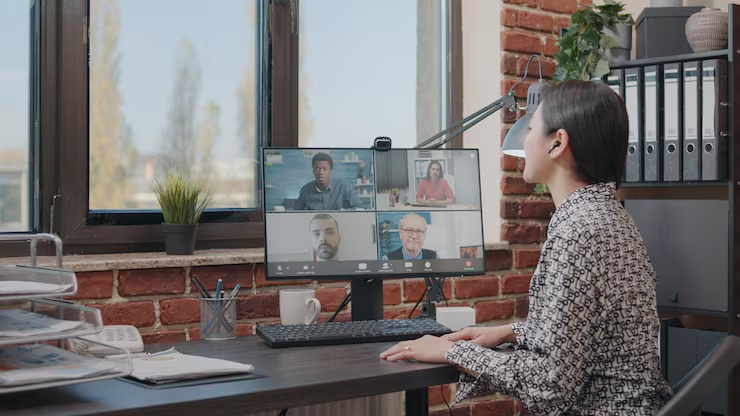
Creating a professional-grade home office in 2026 is about more than just a desk and a laptop—it’s about building a high-performance ecosystem. While the initial shift to remote work was a scramble, long-term success for Bergen County professionals depends on a structured, managed IT approach to technology and connectivity.
With proper smart home office integration, you can create a workspace that is just as productive and secure as a traditional corporate suite. A seamless setup allows for high-definition collaboration, instant access to business systems, and zero-lag communication with your team
However, without the right setup, remote work can introduce problems such as slow connections, device compatibility issues, and cybersecurity risks. According to CISA’s Telework Security Guide, poorly secured home networks remain a primary entry point for cyberattacks.
Smart Home Office Integration: Boosting Productivity and Connectivity
A high-performance remote workspace is built on a professional technology foundation, not just a retail-grade router. Proper smart home office integration ensures that your devices, home network, and business applications communicate seamlessly, allowing you to focus on your billable work instead of playing IT support for your own desk.
When these elements are properly configured, joining high-stakes video meetings becomes interruption-free, and accessing shared firm documents is near-instant.
The Core Components of a Professional Home Office:
- Enterprise-Grade Connectivity: Moving beyond basic residential speeds to prioritized, high-speed internet.
- Hardened Wifi Networks: Implementing WPA3 encryption and separate “Work” VLANs to isolate business data from home IoT devices—a key step in any Small Business IT Checklist.
- Business-Class Hardware: Using laptops and desktops designed for durability and security, rather than consumer models found in big-box stores. Check out our 2026 Tech Shopping Trends for the best AI-ready workstation picks.
- Pro-Level Audio & Video: High-quality webcams and noise-canceling microphones that ensure you look and sound professional on every call.
- Zero-Trust Access: Secure, encrypted pathways to company files and cloud environments.
Many organizations rely on Microsoft 365 and Teams to bridge the gap between distributed teams. According to Microsoft’s Cybersecurity Basics, identity protection and cloud security are the two most critical factors in maintaining a resilient remote workforce.
Smart Home Office Integration Requires Strong Cybersecurity Protections
While remote work offers unmatched flexibility, it also introduces a significant “security gap.” Standard home networks are often the weakest link in a company’s defense, making them prime targets for cybercriminals looking for an easy way into corporate systems.
Effective smart home office integration must go beyond convenience; it must be built on a foundation of enterprise-grade security to prevent unauthorized access. According to the NIST Cybersecurity Framework, organizations must prioritize secure remote access and rigorous identity protection for any distributed workforce.
Non-Negotiable Security Measures for Remote Work:
- Phishing-Resistant MFA: Enforcing Multi-Factor Authentication for every business account to stop credential theft in its tracks.
- Secure VPN or Zero-Trust Access: Creating encrypted “tunnels” for remote access so your data isn’t exposed on public or home-grade networks.
- Advanced Wifi Encryption: Moving to WPA3 protocols and hidden SSIDs—a key step we cover in our Small Business IT Checklist for 2026.
- Automated Patch Management: Ensuring your laptop and apps never miss a critical security update, regardless of where you’re plugged in.
- Endpoint Detection & Response (EDR): Advanced protection for laptops that monitors for suspicious behavior 24/7.
Without these safeguards, an employee working from home could inadvertently expose the entire company to malware or sophisticated phishing attacks.
Smart Home Office Integration Should Include Managed Device Security
A critical but often overlooked piece of smart home office integration is ensuring that every device—from the laptop on the desk to the smartphone in your pocket—is professionally managed. When employees use personal, unmanaged computers to access company systems, it creates a massive “security gap.” Without consistent standards, your sensitive firm data is only as secure as an employee’s last home software update.
To stay compliant and protected, businesses must ensure that remote workstations are
- Fully Encrypted: Ensuring that if a laptop is lost or stolen, the data remains unreadable.
- Proactively Monitored: Watching for malware and suspicious activity 24/7 is a core pillar of our Managed Cybersecurity Services.
- Regularly Patched: Automated updates for operating systems and apps to close vulnerabilities before hackers find them.
- Securely Authenticated: Using phishing-resistant MFA to connect to the “mothership.”
Many Bergen County organizations rely on Managed IT Services to maintain these standards remotely. According to NIST’s Guide to Enterprise Telework Security, managed “enterprise-issued” devices are significantly more resilient than “Bring Your Own Device” (BYOD) setups.
Technology That Supports Smart Home Office Integration
Building a high-performance remote environment requires more than just a fast laptop; it requires a suite of integrated technologies that mirror a corporate office. When these tools are properly synchronized, your home workspace becomes a secure, high-output extension of your business.
As we move into 2026 Technology Trends, the most successful Bergen County firms are prioritizing these four tech pillars:
- Cloud Collaboration Platforms: Applications like Microsoft Teams, SharePoint, and Google Workspace are the backbone of modern work. They allow your team to co-author documents and communicate in real time, regardless of physical location.
- Secure Remote Access (VPNs & Zero Trust): A Virtual Private Network (VPN) creates a private, encrypted “tunnel” between your home office and the company server. This is a non-negotiable step in any Small Business IT Checklist to keep sensitive data off the open web.
- Cloud VoIP Phone Systems: Cloud-based voice solutions allow you to answer your business extension from your home office or mobile app. This ensures you maintain professional communication standards without giving out your personal cell number.
- Centralized Cloud Storage: By moving files off local hard drives and into secured cloud environments, you ensure that data is always backed up and accessible to authorized staff—a core part of our Backup & Disaster Recovery solutions.
These technologies work together to create an efficient remote workspace that supports both speed and security. Many local businesses combine these tools with our Managed Cybersecurity Services to monitor their networks and detect suspicious activity in real time
The Long-Term Benefits of Smart Home Office Integration
Organizations that move beyond “making it work” and invest in professional remote workspace integration gain a massive competitive edge in 2026. Treating a home office as a secure, high-performance extension of your corporate network—rather than an informal DIY setup—is the key to long-term resilience.
The strategic advantages of a well-integrated remote environment include:
- Greater Employee Flexibility & Retention: High-quality tech setups reduce digital friction, leading to higher job satisfaction and lower burnout.
- Seamless Team Collaboration: When your Cloud Collaboration Platforms are optimized, distance no longer hinders real-time innovation.
- Reduced Overhead: Shifting to a hybrid model can significantly lower physical office and infrastructure costs.
- Business Continuity: As we highlighted in our Small Business IT Checklist for 2026, an integrated remote workforce ensures your firm stays operational during local emergencies or office disruptions.
However, these benefits are only sustainable when your home workspace is built with both productivity and Managed Cybersecurity in mind. Without professional oversight, a home office can quickly become a “weak link” for hackers.
Building a Secure and Efficient Remote Workspace
Remote work is no longer a temporary fix; for many organizations, it is now a permanent pillar of how business gets done. However, transitioning from a “survival mode” home setup to a professional, high-performance environment requires thoughtful planning, secure technology, and ongoing support. Check out this Cloud IT Support Designed for you
Bergen IT helps businesses across Bergen County implement smart home office integration strategies that keep employees connected and productive without sacrificing security. From secure remote access and cloud collaboration tools to proactive device management and 24/7 monitoring, our team ensures your remote operations run as smoothly as your physical office.
As we move into the 2026 Technology Trends, the most successful firms are those that treat their distributed workforce as a hardened extension of their corporate network. Whether you are following a Small Business IT Checklist to audit your security or researching 2026 Tech Shopping Trends for the latest AI-ready laptops, Bergen IT provides the local computer support you need to stay resilient.
Reach out to Bergen IT today or call (201) 689-1823 to discuss how your business can improve its remote work setup. From backup protection to full cloud integration, we’ll help your Bergen County business create a seamless remote workspace that supports long-term success.